Design system case study

Force UI

Brainstorm Force was building more than 20 products with no shared UI foundation. Every designer worked in their own style. Every engineer built components from scratch. Inconsistency compounded with every new product. I led the creation of Force UI: one design system across the entire suite, covering primitives, product patterns, and React components in Storybook.

My role
Led design system strategy, component architecture, token system, documentation, UAT feedback loops, and design-engineering alignment. Worked alongside one other designer.
Scope
A shared system for a growing suite of WordPress and SaaS products
Team
Design, frontend, product teams
Tools
Figma, Variables, React, Storybook, AI documentation workflows

Outcome

Design speed increased. Engineering build time decreased. UI inconsistency cases dropped across the product suite.

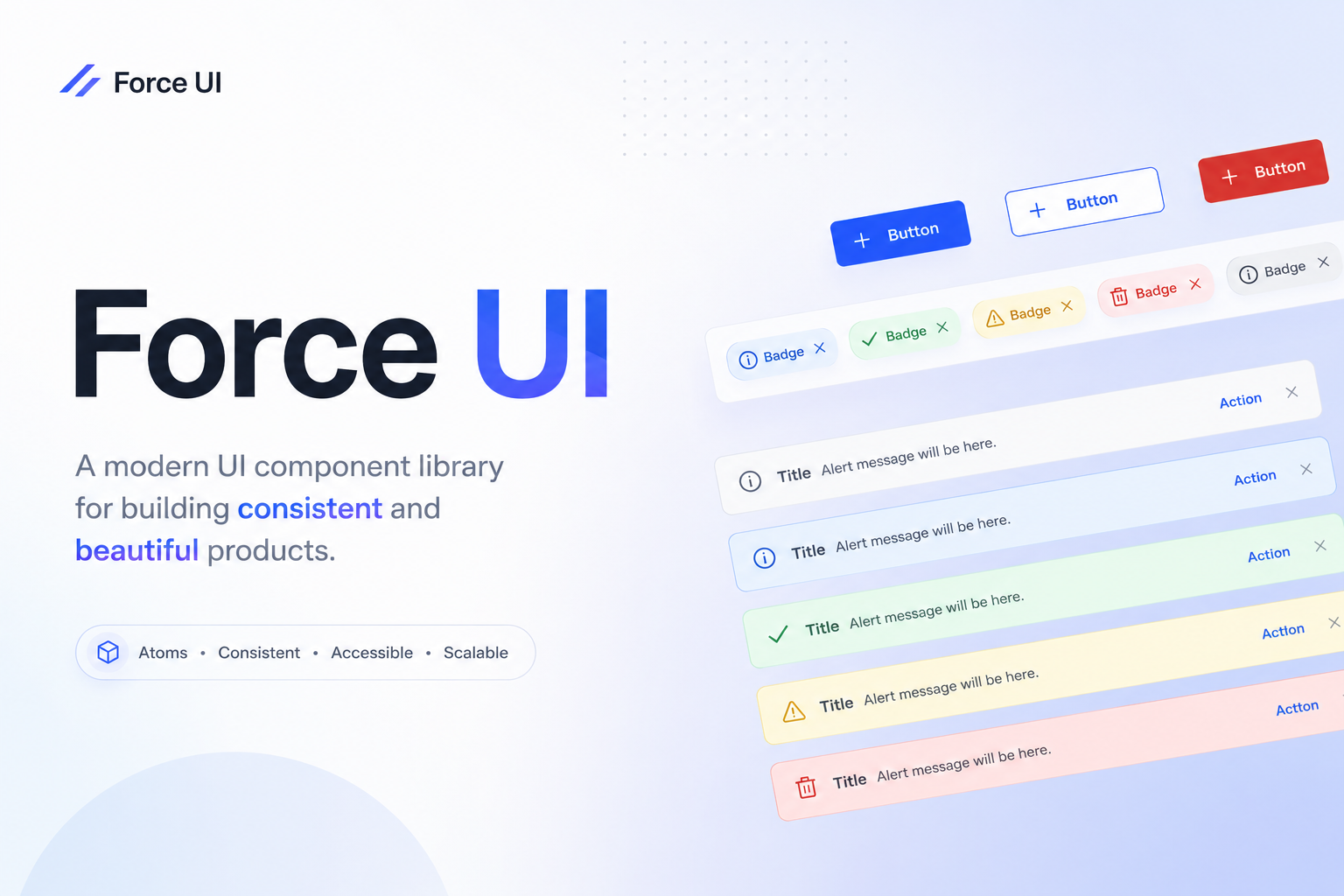
Force UI design system case study cover

Overview

Why Force UI was needed

The scaling problem

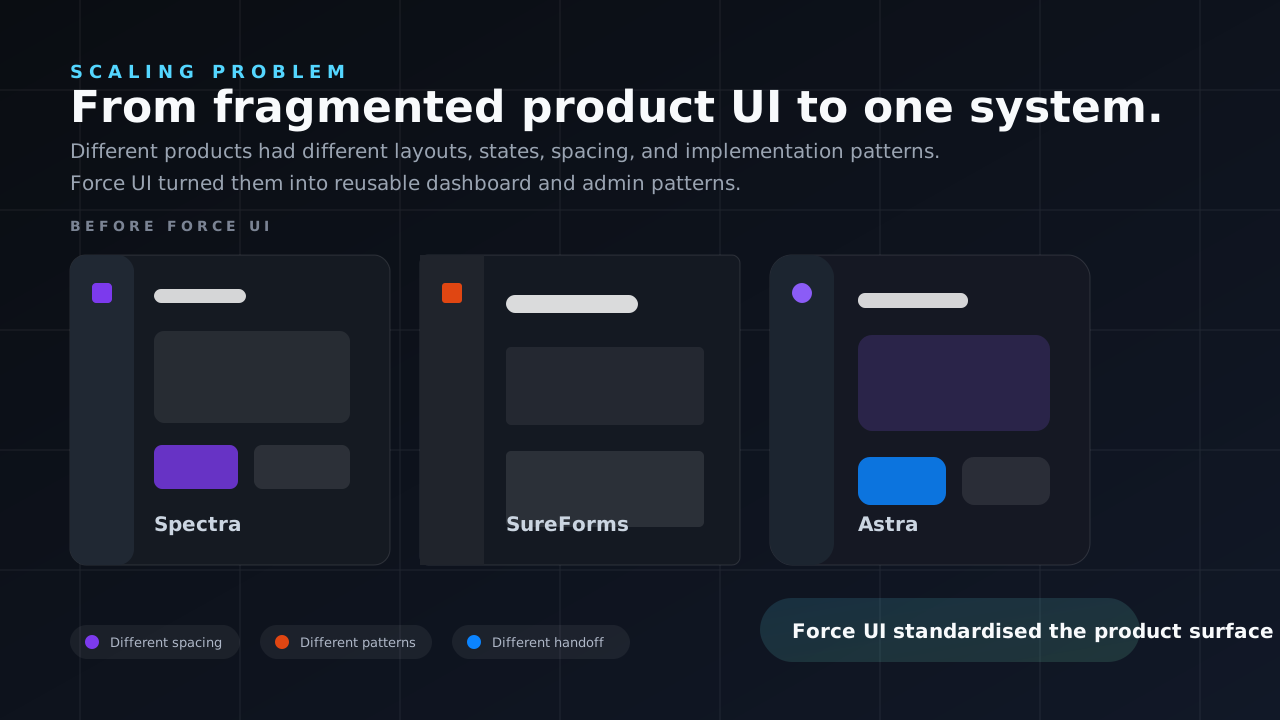
Every product in the Brainstorm Force suite had grown its own UI language. Different designers on different products made different calls on buttons, spacing, settings pages, modals, and dashboard layouts. Engineers rebuilt similar components from scratch each time. When a product needed a UI change, it meant design work, rebuild work, and inconsistency reviews on top of that. As the product count grew, this stopped being a visual quality issue and became a real scaling problem for both design and engineering.

My responsibility

I led Force UI alongside one other designer. My ownership covered system strategy, token and component architecture, documentation, UAT review, and library improvements. The goal was not just visual consistency in Figma but a system usable enough that product teams actually adopted it in real work.

What we built

Force UI covered both primitives and product patterns: buttons with variants and states, form fields, card headers, navigation items, dropdowns, settings pages, modals, slide-outs, dashboard layouts, and admin screen templates. The important part was not just making components, but making component decisions obvious for designers and engineers.

Constraints that shaped the work

  1. 01Minimal by design: only the components every product actually needed.
  2. 02WordPress-aligned: the system had to feel native inside the WordPress admin environment.
  3. 03React-based: components needed to exist in code and Storybook, not only in Figma.
  4. 04Cross-product scalable: one system had to support very different product types without bending around one product.

Key decisions

Three decisions that made the system work

Decision 1

One brand color per product, everything else shared

Context
Twenty products needed to feel distinct while still belonging to the same family. A full palette per product would multiply maintenance, while one color for everything would erase product identity.
My decision
We isolated product identity into one brand-primary token and kept backgrounds, borders, text, neutrals, and feedback colors shared across the suite.
Tradeoff
Product teams could not use brand color decoratively everywhere. Some flexibility was intentionally limited to protect system cohesion.
Result
Updating a product's visual identity meant changing one token, not redesigning screens. Product teams got identity without the maintenance cost.
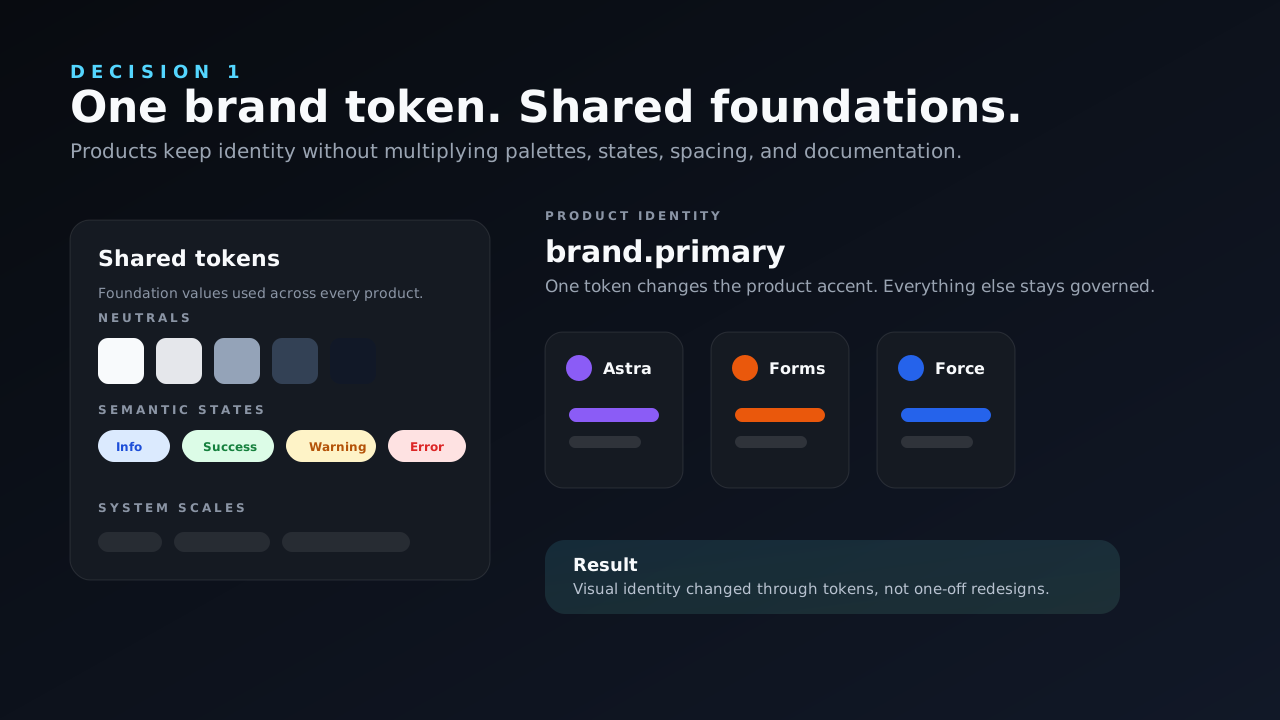
Force UI token system showing shared foundations and one brand token per product.
Token architecture showing shared neutrals, semantic states, system scales, and one product brand token changing across multiple product identities.

Decision 2

Composable dashboards instead of rigid templates

Context
SureRank, SureForms, Ottokit, and ecommerce products all needed dashboards, but each product displayed different data, metrics, charts, and workflows.
My decision
I defined a dashboard pattern system: stat cards, chart containers, tables, and layout grids with composition rules. Teams assembled dashboards from the same parts based on what their product needed to show.
Tradeoff
The pattern required product teams to understand composition rules, and some early dashboard layouts needed review after UAT because they technically followed the system but visually felt off.
Result
Products could show different information while still sharing the same UI DNA, making the suite feel consistent without becoming a set of clones.
Before and after Force UI graphic showing fragmented product dashboards becoming a shared system.
A before-and-after view of fragmented product surfaces moving toward shared dashboard and admin patterns.

Decision 3

Storybook and documentation as the adoption bridge

Context
Engineers already had familiar patterns and were moving fast. If Force UI added friction, teams would ignore it even if the design quality was better.
My decision
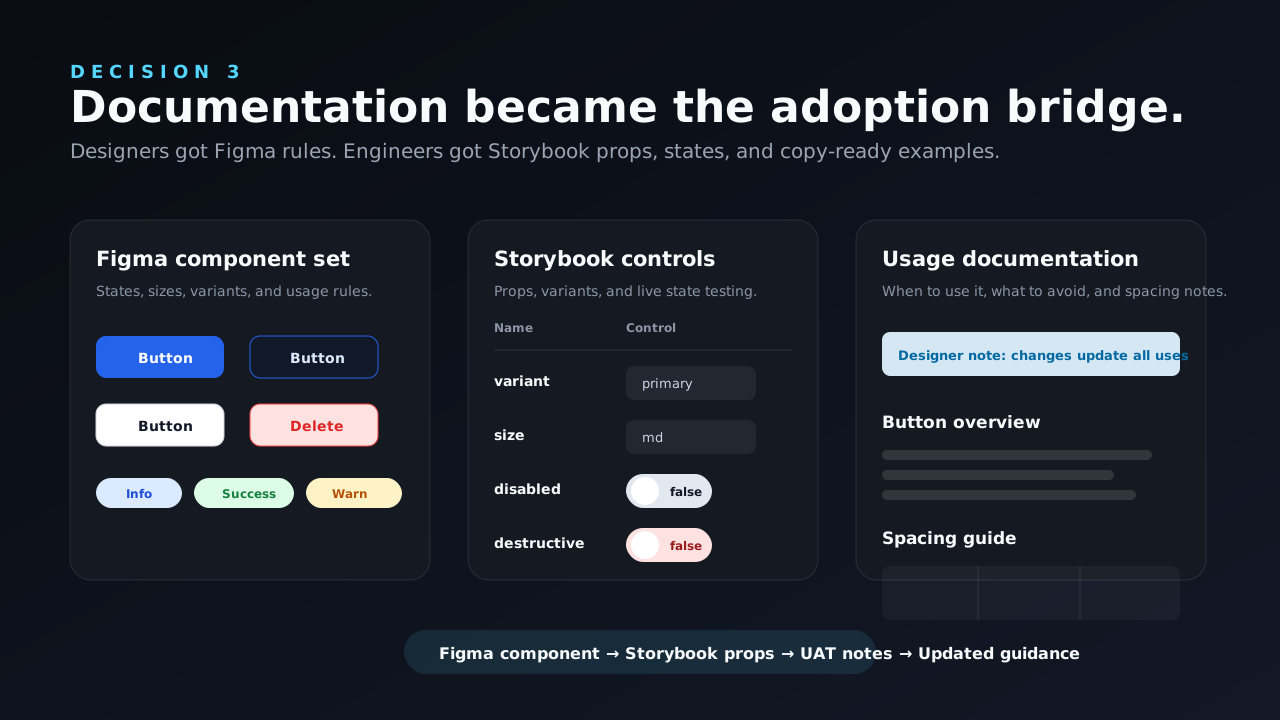
I paired every Figma component with a React implementation in Storybook: props documented, states shown, usage examples ready to copy. The bar for adoption was clear: using Force UI had to be faster than building custom.
Tradeoff
Maintaining Figma and Storybook together created extra documentation work, especially when components changed after UAT.
Result
Engineers stopped waiting on design specs for component behaviour. States, props, and usage examples were in Storybook. That removed a whole category of back-and-forth from the design-engineering handoff.
Force UI documentation bridge showing Figma components, Storybook controls, and usage documentation.
Figma component rules, Storybook controls, and usage documentation worked together so adoption did not depend on one-off handoff meetings.

Adoption

The system improved through use

Building the library was only half the work. The system only mattered if teams actually used it. I built an improvement loop that turned product team feedback into library updates.

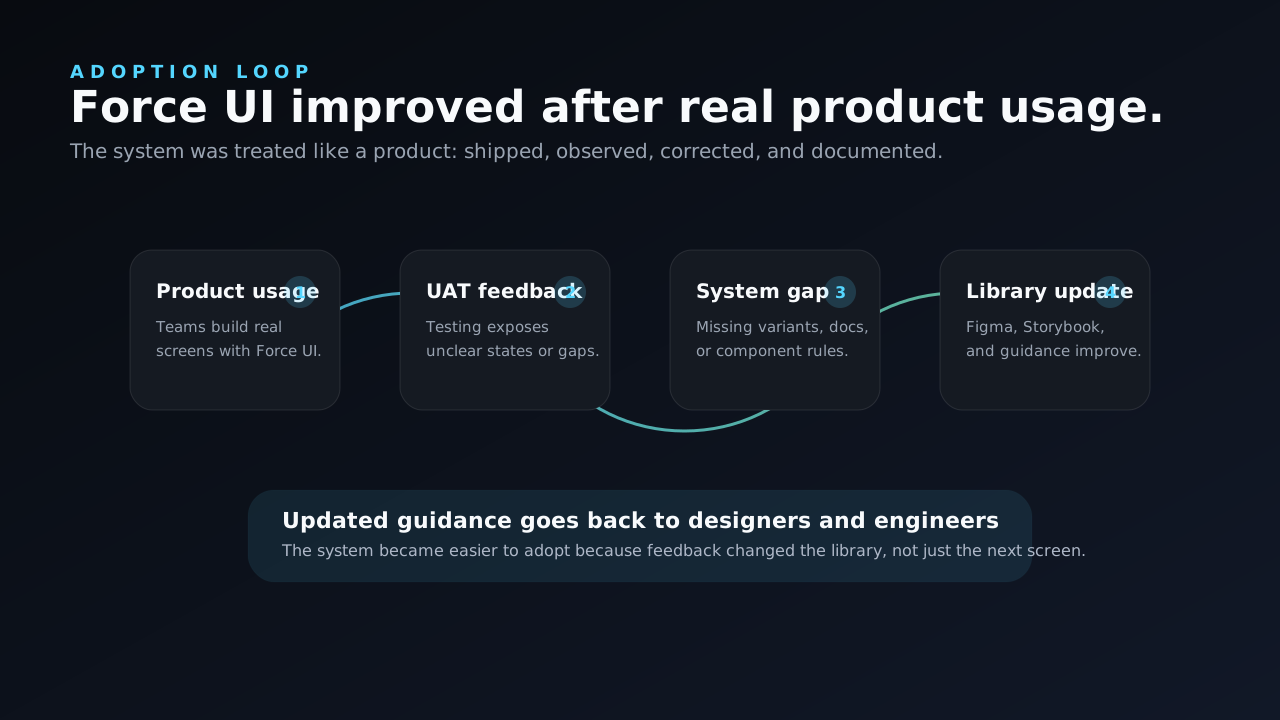
Teams use it in product work. UAT surfaces gaps. Gaps go back into the library. Updated components and guidance go back to teams.

AI-assisted documentation

I used AI to draft first-pass documentation: state coverage, usage guidance, and naming checks. Every output went through review with real product context before it went into the library.

Library improvement loop

After UAT I reviewed where teams struggled, found missing variants or unclear states, and pushed improvements back into the library. Force UI was never treated as a one-time build.

Design and engineering adoption

Documentation was written for both audiences. Designers got Figma component sets with usage rules. Engineers got Storybook with props and examples. One-off handoff specs became the exception, not the standard.

Force UI adoption loop showing product usage, UAT feedback, system gaps, library updates, and guidance.
The adoption loop: product usage surfaced UAT gaps, gaps became library updates, and updated guidance went back to product teams.

Impact

What changed

  • 20+products using one shared design system
  • 45+components and patterns documented
  • Fasterdesign speed increased across product teams after adoption
  • Reducedengineering build time because components existed in code, not just Figma
  • FewerUI inconsistency cases across the product suite
  • 1 tokenfull product visual identity switchable through a single brand color token

Reflection

What I would do differently

  1. 01Storybook should have shipped alongside the first Figma components, not after them. The gap between design and code was when adoption was weakest.
  2. 02Governance rules needed to exist from the start: how to request components, how to report gaps, and how decisions get reviewed. Without them, the system grew in ways that required cleanup later.
  3. 03Dashboard patterns needed more example templates alongside the flexible building blocks. Composition rules alone were not enough. Teams needed to see what good looked like before they could follow the system confidently.