A Design System Agents Can Build Pages With
A design system for the Bhakti Baazar website and web apps, with page blocks that match the site's page builder one to one, so Claude can wireframe and build a landing or category page from the same system designers use.
Core idea
A design system is easiest to automate when its names mean the same thing to a designer, a developer, and an agent. Naming every page block after the builder's own key meant a Figma page could be turned straight into page JSON.
Bhakti Baazar is a marketplace, and the website needs a steady stream of marketing pages, landing pages, and category pages. Even when the design was the same, each page meant designing, developing, and implementing it by hand, one at a time.
So I built one design system for the website and the web applications, and set it up so Claude can use it.
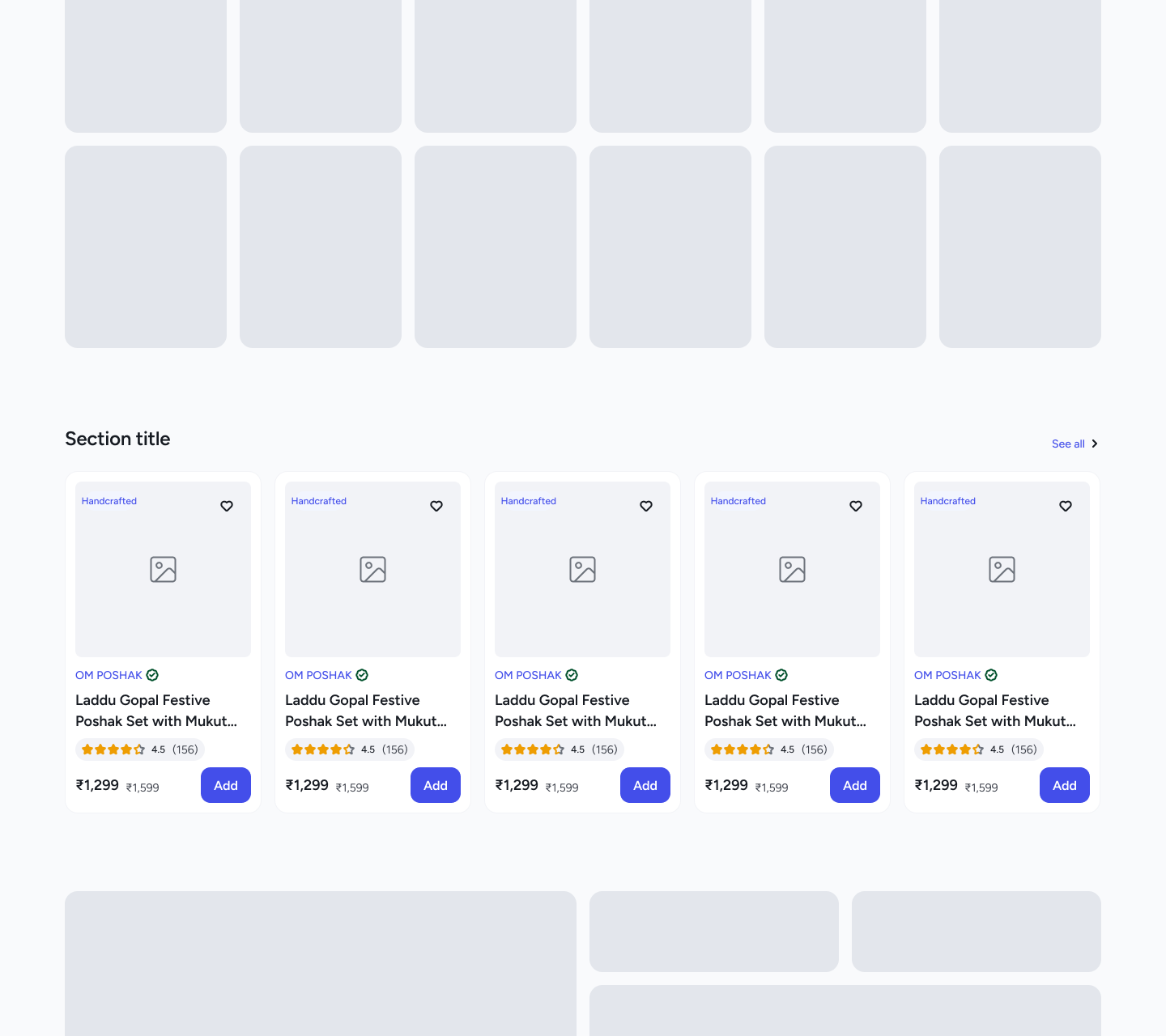
01
Too Many Pages, Too Much Manual Work
Marketing pages, landing pages, and category pages share a structure. What changes is the category, the products, and the banners. Doing that by hand every time was slow, and it was the same work repeated.
The goal was to make the structure reusable and readable by an agent, so a new page starts from the system instead of from a blank canvas.
- Type: freelance design system work for the Bhakti Baazar website and web apps.
- Role: the design system, the page blocks and templates, and the workflow that connects them to Claude.
- Tools: Figma, Claude, the Bhakti Baazar MCP server, and Higgsfield.
- Scope: marketing pages, landing pages, and category pages. App screens use the same kit but are designed as screens, not builder blocks.
02
One System for the Website and the Web Apps
The system covers the storefront and the apps. The merchant dashboard from the Bhakti Baazar merchant app case study lives in the same Figma file as the website templates.
On the website side, the Templates page holds hero variations, banners, product rails and grids, a shop page, and a product page, each in desktop and mobile.
- Foundations: colors, typography, space and layout, shape and elevation.
- Components, from Button and Input to Table, Modal, and Date Picker.
- Commerce pieces: Product Card, Price, Rating, and Quantity Stepper.
- Site Organisms: header and footer, in desktop and mobile.
- Page Blocks and Templates for the website.
03
Names That Humans and Agents Read the Same Way
The Conventions page is one set of naming rules for every component. The names are the same in Figma and in code, so designers, developers, and AI read the system the same way.
A property map lists what every component exposes. It is the base for the DESIGN.md file and for Code Connect props.
- Property names are fixed. A new variant axis is added only when no existing one fits.
- Every fill, stroke, radius, and gap is bound to a variable, and every text node uses a text style.
- A review checklist runs before any component joins the kit, and the audit script has to return zero.
- Contribution has three levels: use, extend, and create, with review before anything new is added.
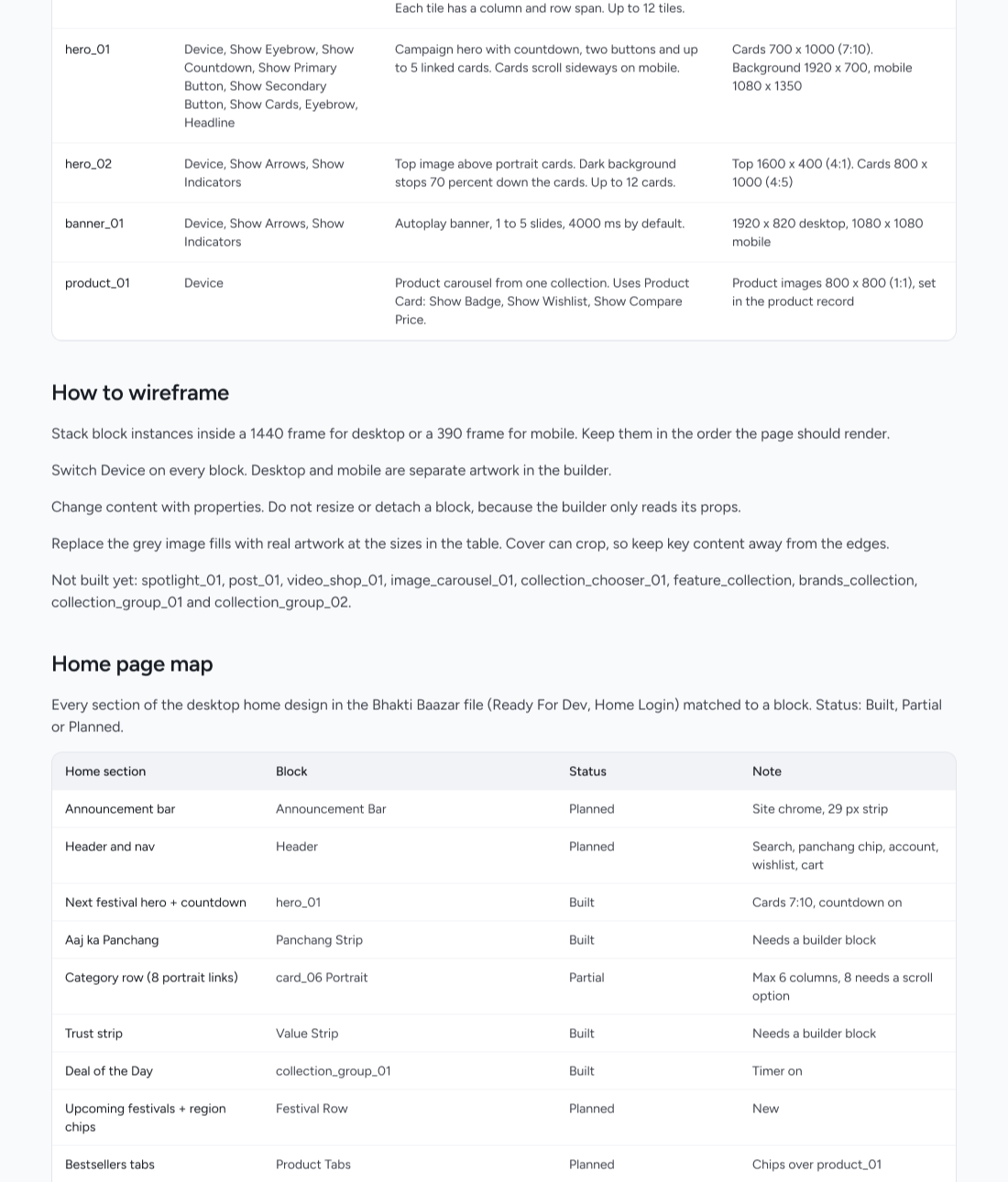
- Page blocks are named after the Bhakti Baazar builder key, for example card_06, hero_01, and product_01.
04
Page Blocks Match the Page Builder One to One
Each block is named after its builder key, so a Figma page can be turned straight into page JSON. Stacking block instances in a 1440 or 390 frame wireframes a page. Content changes through properties, and Device switches between desktop and mobile.
Blocks are never resized or detached, because the builder only reads their props. That rule is what keeps the Figma page and the live page the same thing.
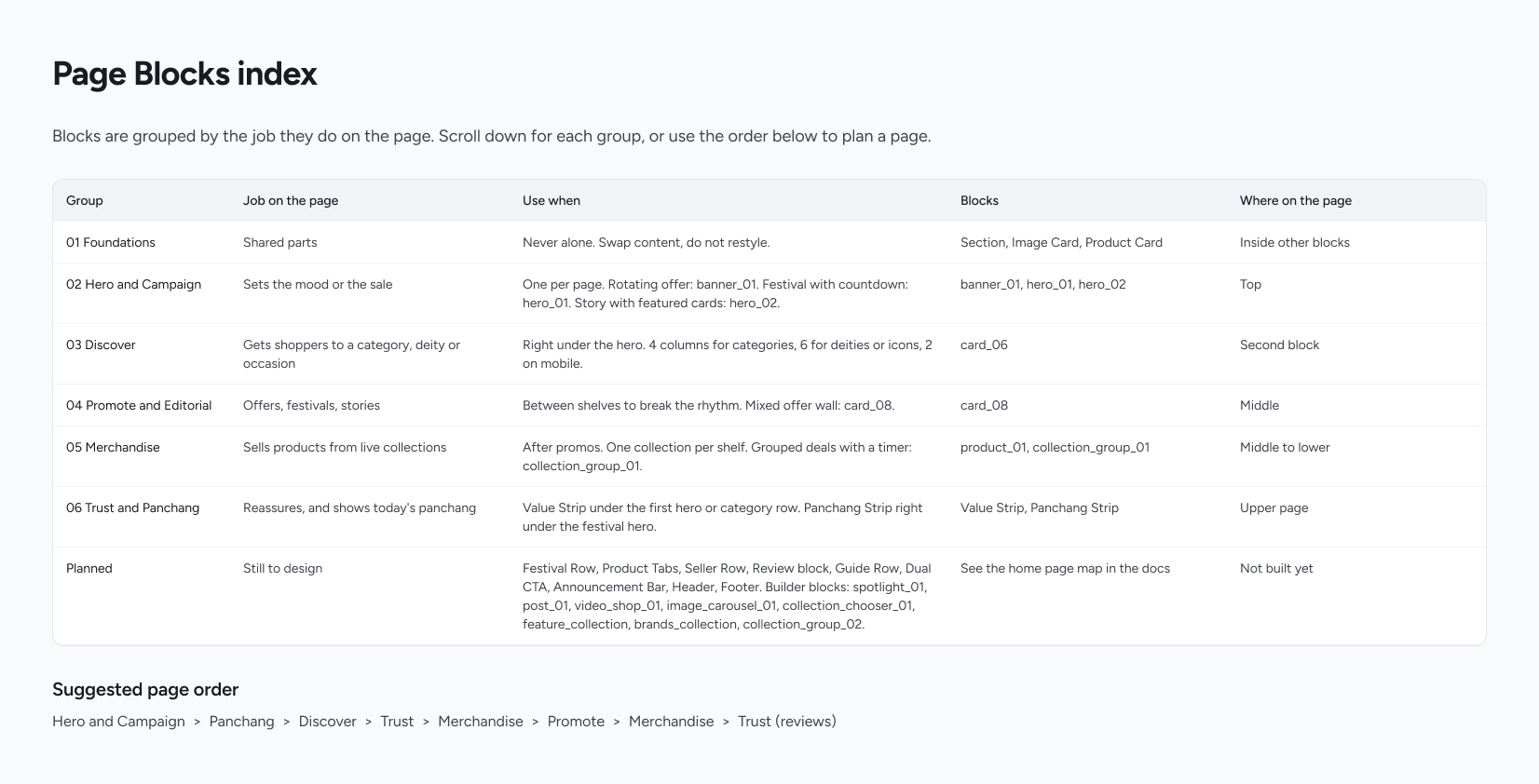
The builder currently has 10 component types and 16 active block variants, checked against its live block library on 22 Nov 2026. Seven of them are built in the Figma kit so far, and the rest are planned.
- hero_01: a campaign hero with a countdown, two buttons, and up to five linked cards.
- hero_02: a top image above portrait cards.
- banner_01: an autoplay banner with one to five slides.
- card_06: a column grid of image cards, for categories, deities, or icons.
- card_08: a bento grid for a mixed offer wall.
- product_01: a product carousel from one collection.
- collection_group_01: grouped deals with a timer.
05
How Claude Builds a Page
This is for marketing pages, landing pages, and category pages. For a new category or a new product, I connect the design system to Claude and ask it to build the page, for example a category page for Poshak.
The MCP server exposes the builder's block library: every variant key, the props each block allows, and how many children it takes. Claude reads it instead of guessing, which is why the names in Figma have to match. The page then comes together in a fixed order.
- Claude pulls the pre-added layouts, category grids, and information from the design system.
- It connects to the Bhakti Baazar MCP server and builds a wireframe in Figma from the page blocks.
- It calls the MCP server again, where the category tags and page templates already exist in the backend, and matches the categories, sections, and layouts to them.
- It syncs and builds the design section by section until the whole page is built.
- Graphics come from Higgsfield, which we connected with several layers of prompts so banners and images follow the website's look.
- Real products are fetched through the MCP server, from the product details already in the system.
- The page is saved as a draft. An admin reviews it and publishes it from the Admin Portal.
06
From 2 to 3 Days to Under 30 Minutes
Designing a landing page and getting it built used to take 2 to 3 days. With the system and this workflow, a page is built and ready to publish in under 30 minutes.
The system is still growing. The docs mark each home page section as built, partial, or planned, so a gap is visible before a page depends on it. New blocks such as a festival row, product tabs, a seller row, and a review block are planned.