Design Health
A Figma plugin that makes design-system quality visible and fixable by moving from detection to explanation to recommendation.
Core idea
The audit was not the bottleneck. The decision burden after it was. Design Health turns file evidence into prioritized, inspectable recommendations while keeping the designer in control.
01
Most Linting Tools Stop at Detection
Design files do not get messy because teams stop caring. They get messy because fast-moving teams make hundreds of small local decisions without seeing what those decisions are doing to the system underneath.
Existing tools can report 63 colors, 140 detached components, or 17 unnamed layers. They rarely explain why it is happening, which issues matter, or what a healthier version of the file should look like.
I kept watching designers spend hours auditing files manually, debate which exceptions were real problems, and then have no clear answer when engineering asked what to fix first.
- Type: side project and Figma plugin.
- Role: strategy, UX, visual design, and implementation.
- Stack: Figma Plugin API, React, TypeScript, and Tailwind.
02
Detect, Explain, Recommend. In That Order.
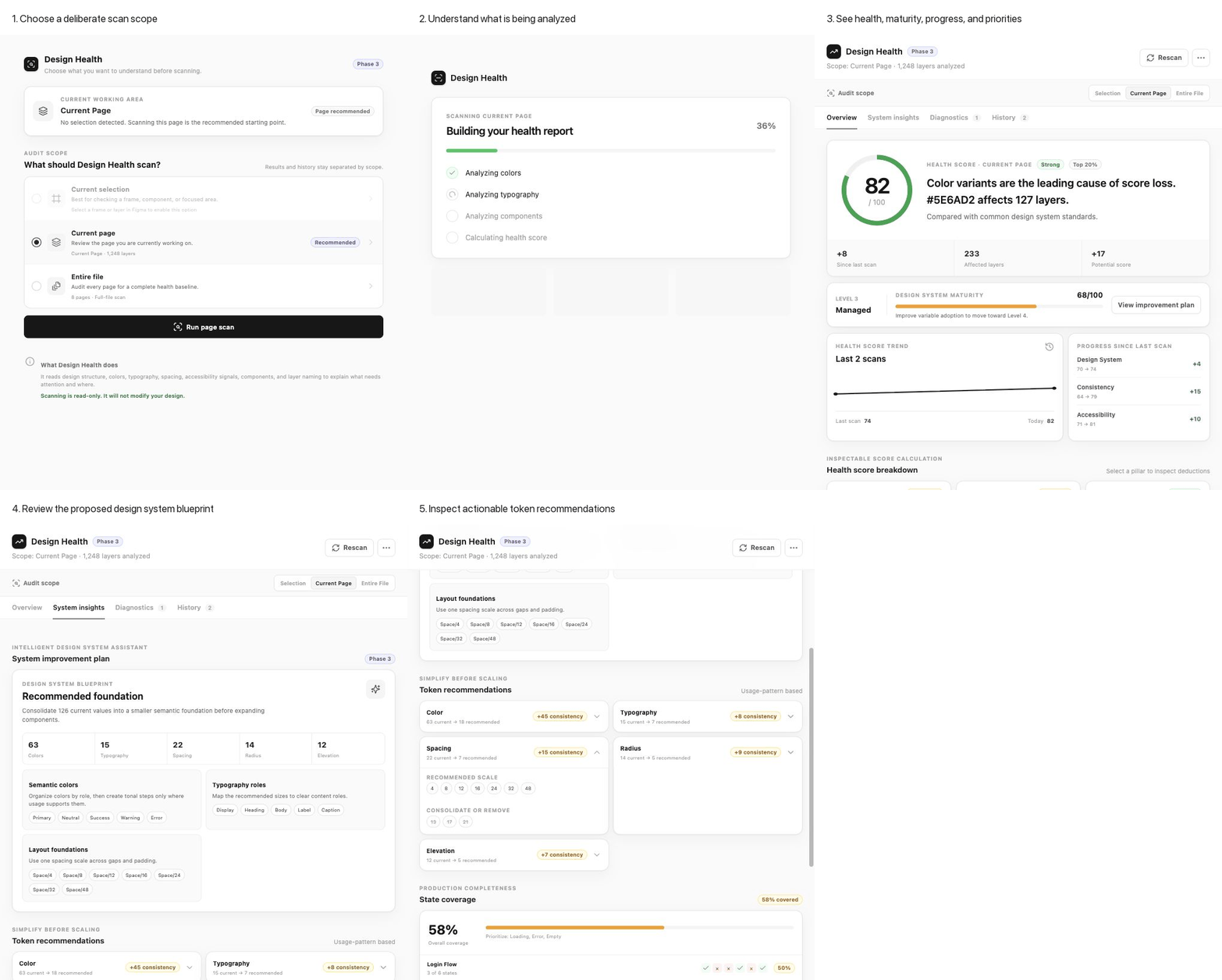
Design Health scans a Figma file and produces a health score across five pillars: design-system adoption, consistency, accessibility, component quality, and production readiness.
Phase one shows what is wrong. Phase two explains root causes. Phase three recommends a target system: a simplified token scale, missing state coverage, and structural component candidates found by how things are built rather than what they are named.
Nothing changes automatically. Every recommendation is inspectable and stays under designer control.
- Health score and five pillar scores.
- Root-cause analysis and prioritized next actions.
- Design-system maturity and progress tracking.
- Production-state coverage and improvement opportunities.
03
A Result You Did Not Initiate Is Hard to Trust
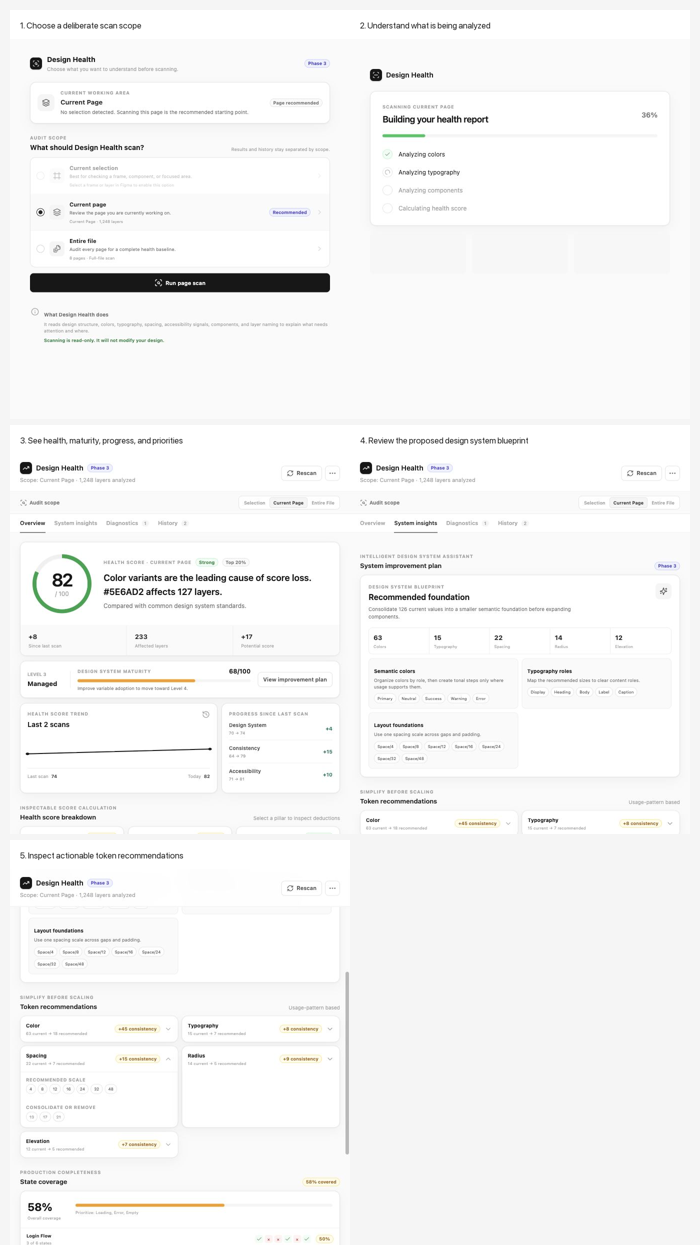
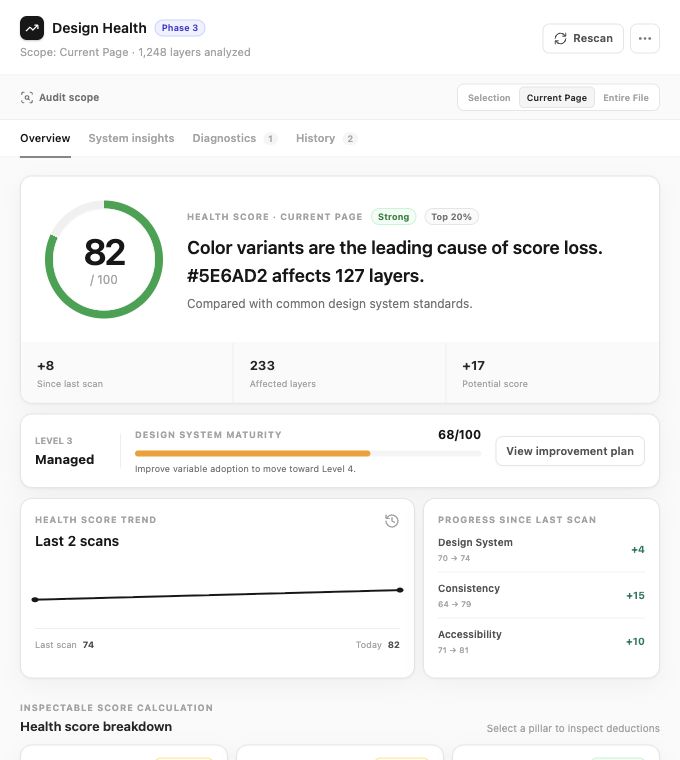
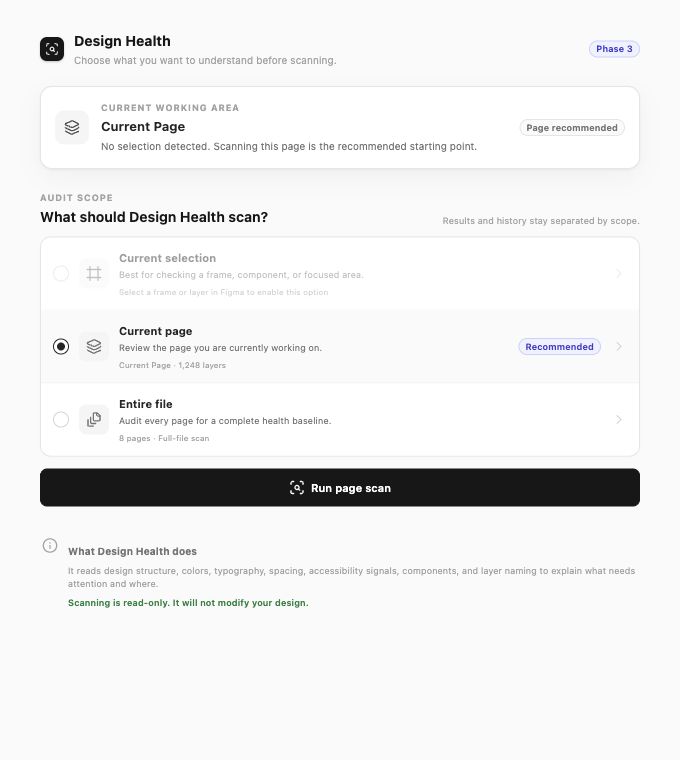
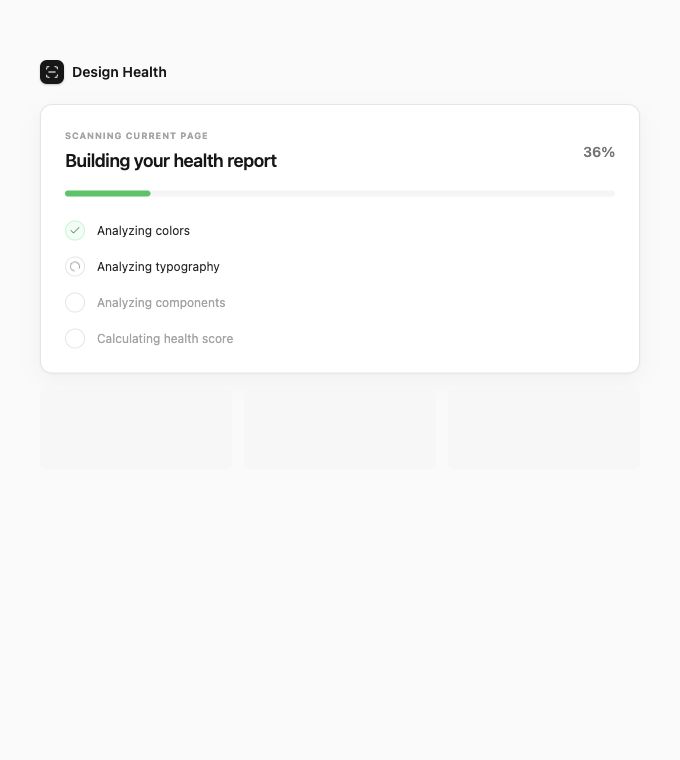
The first version scanned as soon as a designer opened the plugin. It was fast, but designers did not know whether it had scanned their selection, the current page, or the full file.
I rebuilt the entry experience as a deliberate scope confirmation with explicit scope, explicit cost, and explicit intent. That single change shifted how the tool felt: from something that ran on your file to something you ran with a clear purpose.
The scan remains read-only, and the scanning state explains what is being analysed before presenting a score.
04
From File Evidence to a System Blueprint
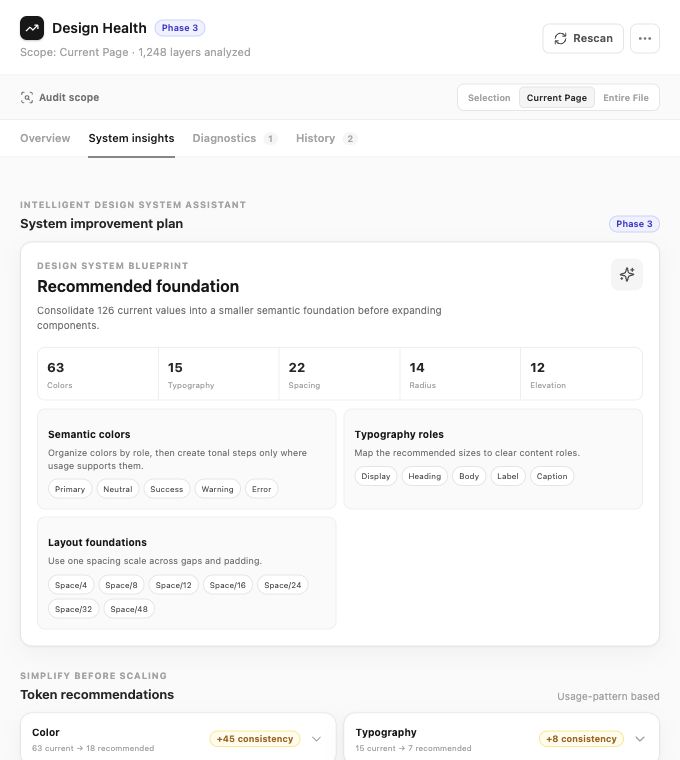
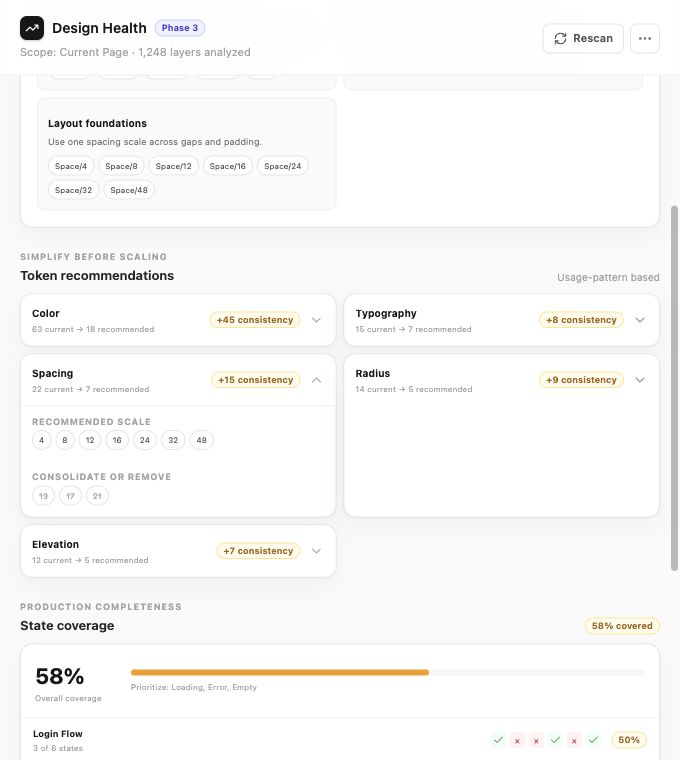
The System Insights view turns scattered audit findings into a proposed design-system foundation. It recommends semantic color roles, typography roles, layout foundations, token consolidation, and missing production states.
Recommendations stay grounded in actual usage patterns. Designers can inspect current counts, proposed scales, values to consolidate, and the expected consistency gain before deciding what to change.
- Consolidate current values into a smaller semantic foundation.
- Recommend token scales from observed usage, not generic defaults.
- Expose missing states and production-readiness gaps.
- Keep recommendations explainable and open to designer judgment.
05
What I Took Away
The most useful AI feature is not a prompt box. It is structured output grounded in evidence: a concrete token proposal, a list of states that are missing, or a recommendation a designer can inspect and push back on.
Design Health demonstrates a product strategy that moves from detection to explanation to recommendation while keeping the designer in control. The result feels less like a linting plugin and more like a design-system consultant inside Figma.
I used AI as an implementation partner to build and iterate on the plugin, but the product judgment stayed human-led: what to measure, what to recommend, what not to automate, and how to make results trustworthy.
- Evidence is more useful than a generic score.
- Recommendations need explanations and designer control.
- A deliberate start can improve trust more than a faster automatic action.
- AI creates value when it helps teams decide what to do next.